
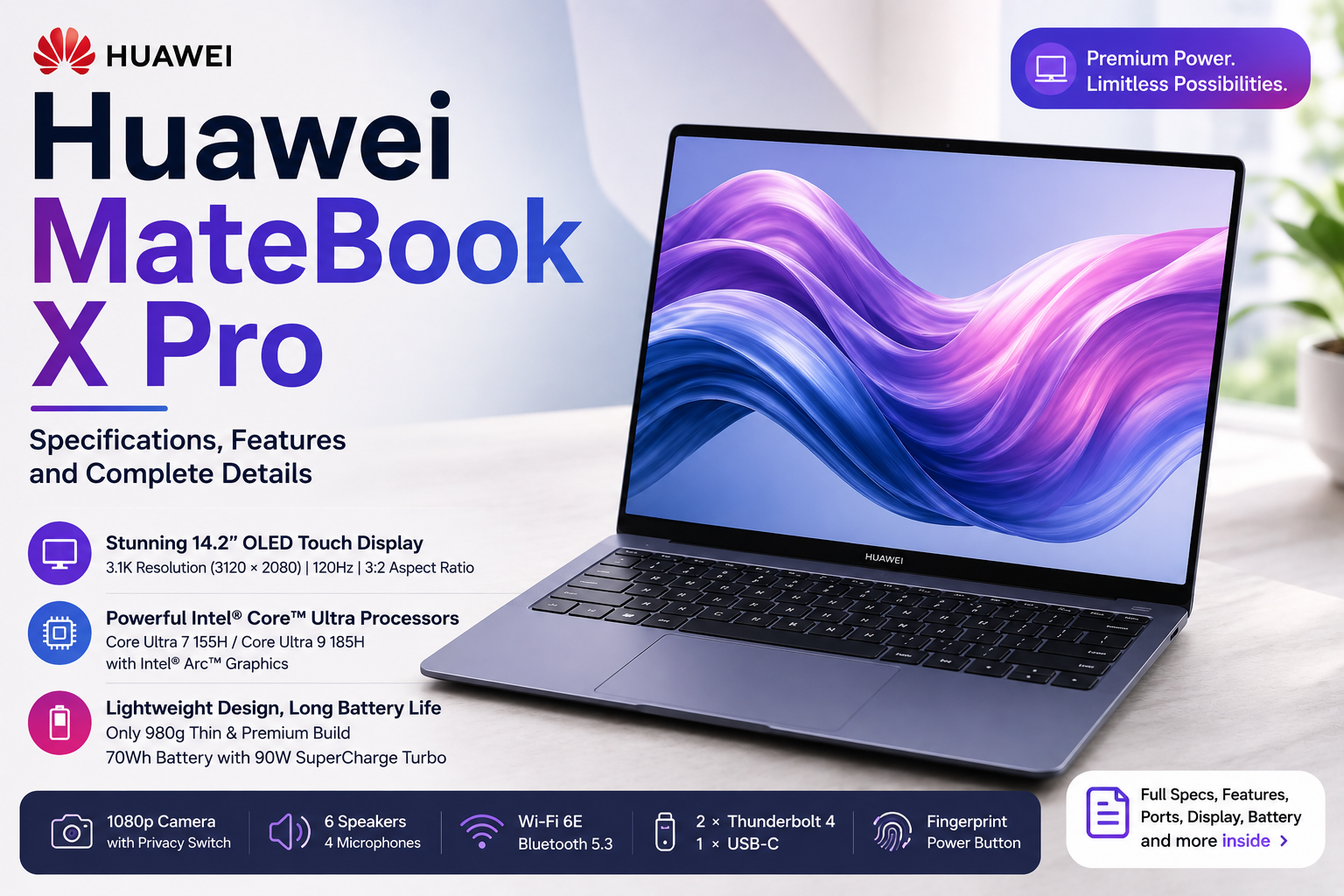
The Huawei MateBook X Pro is a premium Windows laptop focused on portability, display quality, performance, and Huawei’s multi-device features. The latest Core Ultra Premium Edition combines Intel Core Ultra processors with a high-resolution OLED touchscreen, Intel Arc graphics, up to 32GB RAM, and up to 2TB SSD storage.
Here is a complete look at the Huawei MateBook X Pro specifications, features, display, processor, battery, connectivity, camera, and other important details.
Huawei MateBook X Pro Specifications
| Feature | Specifications |
|---|---|
| Display | 14.2-inch OLED |
| Resolution | 3120 × 2080 pixels |
| Aspect Ratio | 3:2 |
| Refresh Rate | Up to 120Hz |
| Touchscreen | 10-point multi-touch |
| Processor | Intel Core Ultra 7 155H / Core Ultra 9 185H |
| Graphics | Intel Arc Graphics |
| RAM | Up to 32GB |
| Storage | Up to 2TB NVMe PCIe SSD |
| Battery | 70Wh |
| Camera | 1080p HD |
| Speakers | 6 |
| Microphones | 4 |
| Wi-Fi | Wi-Fi 6E |
| Bluetooth | Bluetooth 5.3 |
| Ports | 2 × Thunderbolt 4, 1 × USB-C |
| Keyboard | Backlit Chiclet |
| Fingerprint Sensor | Yes |
| Operating System | Windows 11 |
| Thickness | 13.5mm |
| Weight | Approx. 980g |
Specifications can vary depending on the country and configuration.
Display
The MateBook X Pro comes with a 14.2-inch OLED display with a 3120 × 2080-pixel resolution.
It uses a 3:2 aspect ratio, which provides more vertical screen space than a conventional 16:9 laptop. This can be useful for documents, websites, coding, spreadsheets, and other productivity tasks.
The display specifications include:
- 264 PPI
- Up to 120Hz refresh rate
- 10-point touch support
- Up to 1000 nits peak brightness
- 1,000,000:1 contrast ratio
- 178-degree viewing angle
- Support for Adobe RGB, P3, and sRGB
- Up to 1.07 billion colours
- Claimed average colour accuracy of ΔE < 1
Huawei also lists TÜV Rheinland Eye Comfort 3.0 certification and a 1440Hz high-frequency PWM dimming system for low-brightness conditions.
The display has a 93% screen-to-body ratio, giving the laptop relatively narrow bezels.
Processor and Performance
The Huawei MateBook X Pro is available with Intel Core Ultra processors.
The main options are:
- Intel Core Ultra 7 155H
- Intel Core Ultra 9 185H
The Core Ultra 9 version is the higher-end configuration and can be paired with 32GB RAM and 2TB SSD storage.
Huawei also provides a Performance Mode that can allow the processor to operate at up to a 40W TDP release under supported conditions.
The laptop is designed for everyday productivity as well as more demanding workloads such as:
- Multitasking
- Programming
- Photo editing
- Video editing
- Office applications
- Content creation
- Large browser workloads
Actual performance depends on the processor configuration, software, power mode, cooling, and workload.
Graphics
The MateBook X Pro uses Intel Arc Graphics integrated with the supported Intel Core Ultra platform.
It is suitable for general graphics work, media playback, productivity applications, photo editing, and some creative workloads.
However, it does not have a dedicated NVIDIA or AMD graphics card. Users looking specifically for high-end gaming or intensive professional 3D rendering may need a laptop with a discrete GPU.
RAM and Storage
Huawei lists memory configurations of up to 32GB.
Available configurations can include:
- 16GB RAM
- 32GB RAM
For storage, the laptop uses an NVMe PCIe SSD with capacities of up to 2TB.
Depending on the market, configurations may include:
- 1TB SSD
- 2TB SSD
The higher 32GB/2TB configuration is intended for users who need more memory and storage for demanding workloads and large files.
Battery and Charging
The MateBook X Pro has a 70Wh lithium-polymer battery.
Huawei also supports 90W SuperCharge Turbo on the laptop.
According to Huawei’s testing, a 10-minute charge can provide up to two hours of office use under specific laboratory conditions. Actual battery life and charging results will depend on screen brightness, applications, processor workload, refresh rate, power mode, and other factors.
The laptop can also use USB-C charging.
Design and Weight
Portability is one of the major characteristics of the MateBook X Pro.
The laptop measures approximately:
310 × 222 × 13.5mm
It weighs around:
980 grams
The thin aluminium body makes it suitable for people who frequently carry their laptop between home, office, college, meetings, or travel locations.
Huawei offers different colour options depending on the market, including variants such as Morandi Blue, White, and Black.
Ports
The MateBook X Pro keeps its physical port selection compact because of its thin design.
It includes:
- 2 × Thunderbolt 4
- 1 × USB-C
There is no traditional full-size USB-A or HDMI port listed in the current specification.
Therefore, users who frequently connect USB-A accessories, HDMI monitors, projectors, or other traditional peripherals may need a USB-C hub or adapter.
Thunderbolt 4 can be used with compatible external displays, storage devices, docks, and other high-speed accessories.
Wireless Connectivity
The laptop supports modern wireless connectivity, including:
- Wi-Fi 6E
- 2.4GHz, 5GHz, and 6GHz bands where supported
- Bluetooth 5.3
- 2 × 2 MIMO
Wi-Fi 6E availability can depend on the region, router, and local regulations.
Camera and Microphones
The MateBook X Pro has a 1080p HD camera.
Huawei provides several camera-related software features, including:
- FollowCam
- Eye Contact
- Virtual Background
- Beauty effects
The laptop also has four microphones, designed to support video meetings, calls, presentations, and voice recording.
A physical camera privacy switch is also included.
Keyboard and Touchpad
The laptop features a full-size backlit Chiclet keyboard with approximately 1.5mm key travel.
The power button includes a fingerprint sensor, allowing biometric authentication through supported Windows features.
For the trackpad, Huawei uses its Free Touch system. It uses pressure sensing and haptic feedback rather than relying only on a traditional mechanical click mechanism.
The touchpad also supports multiple gestures.
Audio
The MateBook X Pro has a six-speaker sound system with Huawei’s HUAWEI SOUND technology.
It also includes four microphones for voice pickup.
The audio system is designed for:
- Music
- Movies
- Video calls
- Online meetings
- Presentations
- General media use
Cooling System
Huawei uses its Shark Fin cooling system in the MateBook X Pro.
The cooling design includes booster fans and multiple air intake and exhaust vents to help manage heat during demanding workloads.
The laptop also includes Performance Mode for workloads where additional processing performance is required.
Huawei Smart Features
One of the notable parts of the MateBook X Pro experience is its integration with other Huawei devices.
Through HUAWEI Super Device and related features, compatible Huawei phones and tablets can connect with the laptop for functions such as:
- Multi-screen collaboration
- Screen mirroring
- Screen extension
- File transfers
- Accessing supported phone applications
- Cross-device interaction
Huawei also provides SuperHub, which can help transfer supported files, images, and text between compatible devices.
These features depend on the Huawei device, software version, and region.
Operating System and Software
The MateBook X Pro runs Windows 11, with the exact edition depending on the market and configuration.
Huawei also provides HUAWEI PC Manager, which can be used for system management, driver updates, device collaboration, and selected Huawei-specific settings.
Additional features include shortcuts for functions such as:
- Performance Mode
- Refresh-rate switching
- Display management
Who Is the Huawei MateBook X Pro For?
The specifications make the MateBook X Pro suitable for several types of users.
Students can benefit from the 3:2 display for documents, research, PDFs, and online learning.
Professionals can take advantage of its lightweight design, high-resolution display, camera, microphones, and portable form factor.
Developers may find the additional vertical screen space useful for code and documentation.
Content creators can benefit from the OLED display, wide colour support, high resolution, and Intel Arc graphics for supported creative applications.
Frequent travellers may particularly appreciate its approximately 980g weight and 13.5mm thickness.
Things to Know Before Buying
There are a few specifications worth considering before choosing the MateBook X Pro.
First, the laptop has a limited selection of built-in ports. If you use HDMI or USB-A accessories regularly, an adapter or docking station may be necessary.
Second, the laptop uses integrated Intel Arc graphics, rather than a dedicated GPU. This makes it different from gaming and workstation laptops designed for intensive 3D workloads.
Finally, Huawei sells different configurations in different countries. Processor, RAM, storage, operating system, charger, colours, and some connectivity features can therefore vary by market.
Huawei MateBook X Pro: Final Specification Summary
The Huawei MateBook X Pro combines a 14.2-inch 3:2 OLED touchscreen, 3120 × 2080 resolution, up to 120Hz refresh rate, Intel Core Ultra 7 or Core Ultra 9 processors, Intel Arc Graphics, up to 32GB RAM, up to 2TB SSD storage, and a 70Wh battery in a lightweight body.
It also includes a 1080p camera, six speakers, four microphones, Wi-Fi 6E, Bluetooth 5.3, Thunderbolt 4 connectivity, fingerprint authentication, and Huawei’s multi-device collaboration features.
The most important thing to remember is that MateBook X Pro specifications vary by region and configuration. Therefore, users should check the exact local model before comparing prices or purchasing the laptop.